

Table of Contents
Introduction
In the early days of online collaboration tools, Wallwisher emerged as a simple yet innovative platform that allowed users to create virtual bulletin boards. Users could post notes, images, and links on a shared space, fostering interaction and collaboration in real-time. Over time, The Wall Wisher platform rebranded itself as Padlet, expanding its features and solidifying its position as a favorite among educators, businesses, and creative teams.
But the digital landscape has evolved significantly, and several alternatives now provide similar or even enhanced functionalities for collaborative work. This post explores the legacy of Padlet and introduces other tools that can help you achieve your collaboration goals.
Padlet: The Evolution of Wallwisher
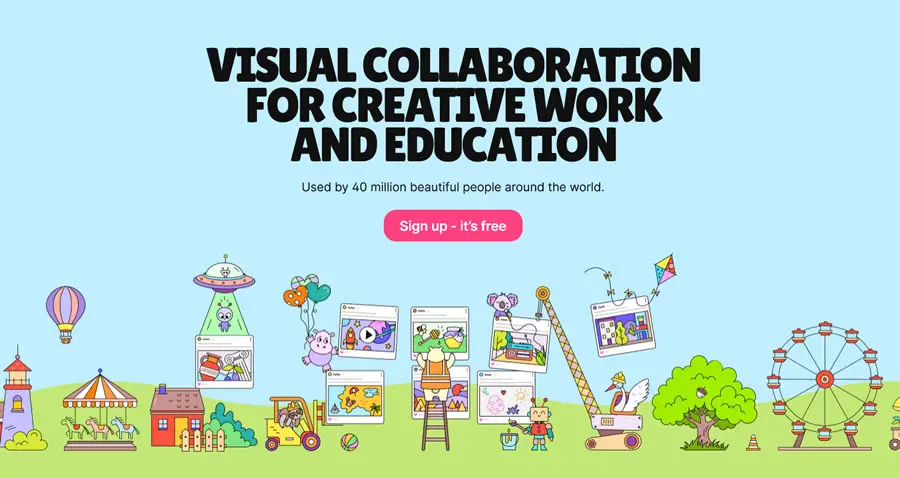
Padlet retains the core simplicity of Wall Wisher while offering more robust features:
- Customizable Boards: Choose from templates, themes, and layouts to suit your needs.
- Content Variety: Post text, images, videos, links, and files.
- Collaboration: Invite others to contribute in real-time or asynchronously.
- Accessibility: Works seamlessly across devices, making it ideal for classroom and remote use.
Padlet’s versatility has made it popular in educational settings, where teachers use it for brainstorming, sharing resources, and interactive lessons. Businesses and creative teams also use Padlet for project management and idea generation.
Top Alternatives to Padlet for Collaboration

If you’re exploring other tools beyond Padlet, here are some excellent options to consider:
1. Jamboard (by Google)
- Important Update: Jamboard will no longer be available after December 31, 2024, across Web, iOS, Android, and Google Meet devices.
- Features: A digital whiteboard that supports sticky notes, drawings, and image embedding.
- Best For: Classrooms, brainstorming sessions, and group projects.
- Why Choose It: Free and integrates seamlessly with Google Workspace.
2. Miro
- Features: Advanced online whiteboard with templates, mind mapping, and multimedia integration.
- Best For: Remote teams and project management.
- Why Choose It: Offers more structured tools and templates compared to Padlet.
3. Wakelet
- Features: A content curation tool where users can organize and share links, videos, and files.
- Best For: Educators creating lesson plans or students compiling research.
- Why Choose It: Free and visually engaging.
4. Microsoft Whiteboard
- Features: A collaborative canvas for brainstorming and problem-solving.
- Best For: Teams using Microsoft tools like Teams or OneNote.
- Why Choose It: Free and integrates well with Microsoft’s ecosystem.
5. Lino
- Features: A virtual corkboard for sticky notes, images, and links.
- Best For: Brainstorming and organizing ideas.
- Why Choose It: Simple and intuitive interface.
6. Stormboard
- Features: Sticky notes with voting, prioritization, and reporting capabilities.
- Best For: Structured brainstorming sessions.
- Why Choose It: Includes tools for analyzing and organizing ideas.
7. Seesaw
- Features: A platform for student engagement and collaboration.
- Best For: K-12 education.
- Why Choose It: Facilitates digital portfolios and parent-teacher communication.
Moodle: Platform for Educators (Structured Learning Tool)
While not strictly similar to Padlet, this platform is a powerful tool for educators:
Moodle
- Features: Learning management system with tools for classroom communication, assignments, quizzes, and parent access.
- Best For: K-12 education and classroom management.
- Why Choose It: Offers a structured way to enhance student engagement and streamline teaching.
How to Choose the Right Tool for Your Needs
When deciding on a collaboration tool, consider:
- Purpose: Are you using it for education, business, or personal projects?
- Features: Do you need multimedia support, templates, or advanced analytics?
- Ease of Use: Is the tool user-friendly for all participants?
- Budget: Are you looking for free options or willing to invest in premium features?
- Integration: Does it work well with tools you already use, like Google Workspace or Microsoft Teams?
Conclusion
Wallwisher, now Padlet, paved the way for many of today’s innovative collaboration tools. Whether you stick with Padlet or explore alternatives like Jamboard, Miro, or Wakelet, these platforms can enhance your ability to brainstorm, share, and collaborate effectively. Choose the one that best fits your needs and take your teamwork to the next level!
